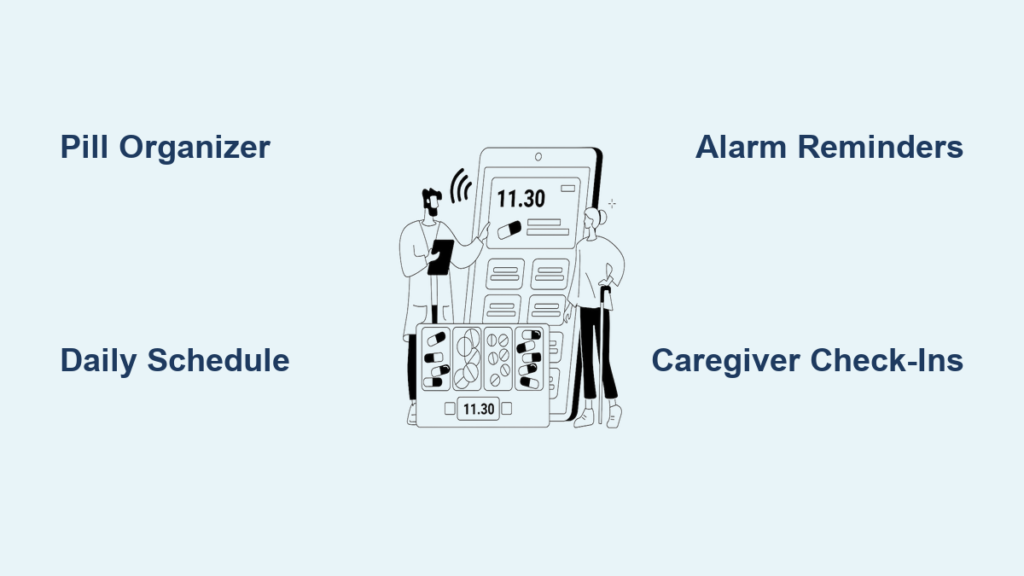
Forgetting to take medication is a common and serious issue among seniors, especially those managing multiple prescriptions. When an 86-year-old parent moves in with working adult children, the challenge becomes even more pressing. Caregivers must ensure timely doses while juggling full-time jobs and household responsibilities. Memory lapses, complex regimens, and physical limitations like poor vision or arthritis make self-management difficult. The result can include missed doses, dangerous drug interactions, or hospitalization.
With the right system in place, you can help your loved one stay on track safely and independently. This guide delivers practical, proven strategies to remind seniors to take medication, tailored for real-world caregiving demands.
Use Labeled Pill Organizers
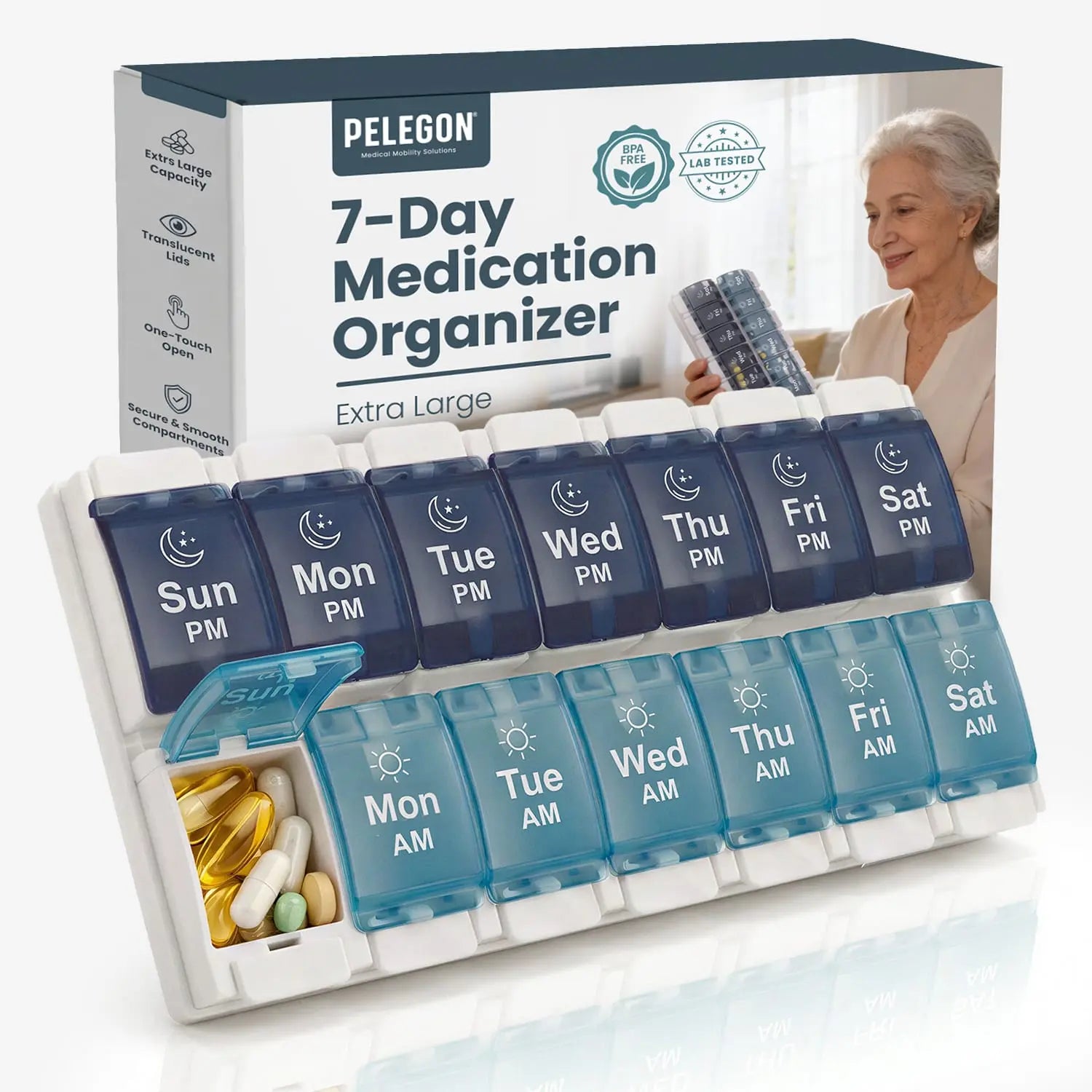
A well-chosen pill organizer is the foundation of any medication reminder system. It turns a confusing pile of bottles into a clear, visual schedule.
Choose the Right Organizer Type
Select a pill organizer with compartments labeled by day and time (e.g., “Monday AM,” “Tuesday PM”). This prevents confusion between morning and evening doses. Opt for models with:
– Easy-open lids (flip-top or push-pull) for arthritic hands
– Large, high-contrast labels (black on white or yellow) for low vision
– Clear, snap-shut compartments to prevent spills
– Weekly or multi-day layouts to support routine
Avoid small, unlabeled containers or those requiring force to open.
Fill It Weekly With a Routine
Set a fixed time, like Sunday morning, to fill the organizer. Use the senior’s medication schedule as a checklist. Place it in a consistent, visible spot: next to the coffee maker, on the kitchen counter, or beside the toothbrush. After taking pills, the empty compartment serves as instant visual proof, removing any second-guessing.
Pro Tip: Involve the senior in filling it the first few times. This reinforces memory and promotes independence.
Create Clear Medication Schedules
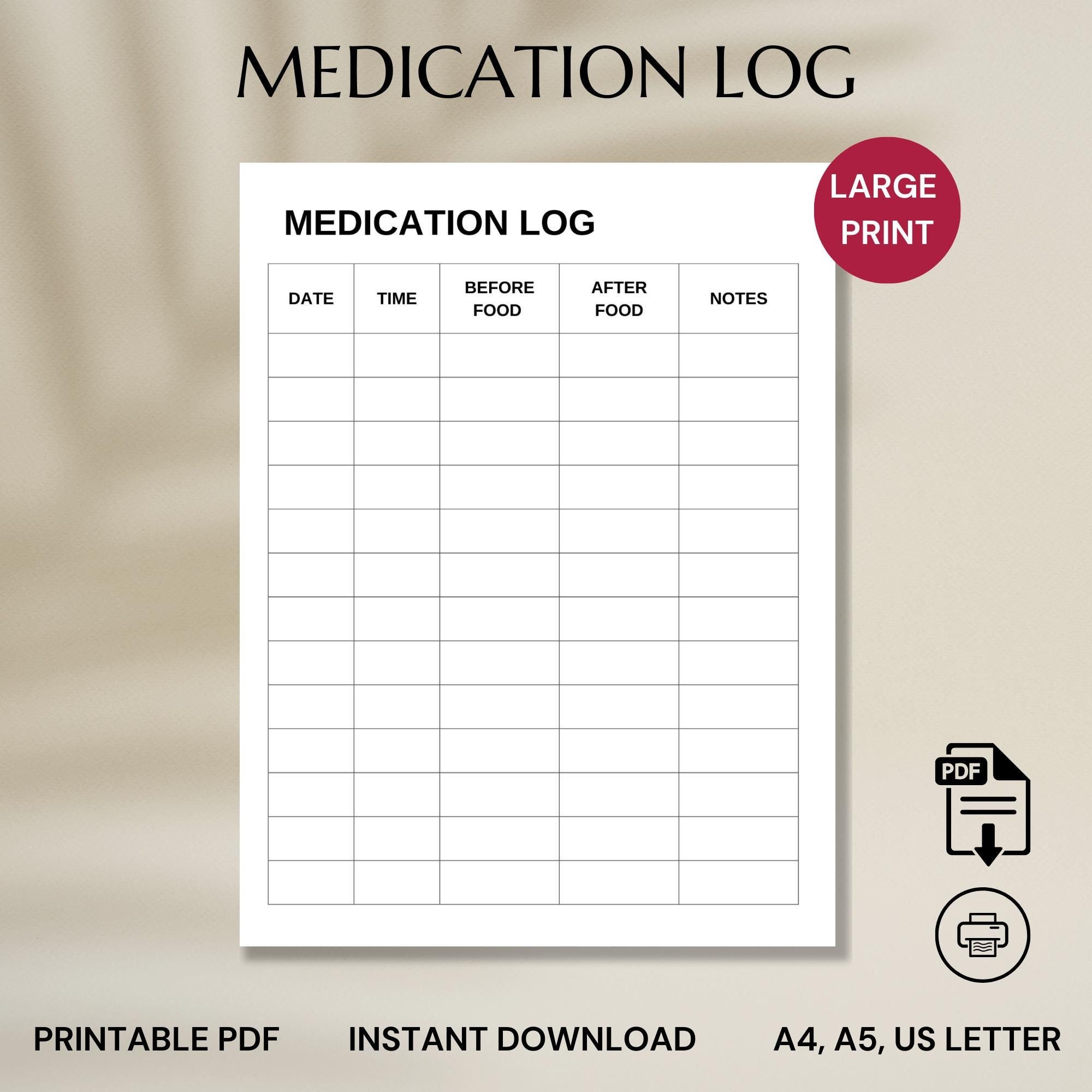
Even with a pill organizer, seniors need to know what they are taking and why. A written schedule bridges that gap.
Include All Key Details
Work with the doctor or pharmacist to build a one-page medication schedule that lists:
– Medication name (both brand and generic)
– Dosage (e.g., “10 mg”)
– Time to take (e.g., “8:00 AM with breakfast”)
– Purpose (e.g., “Lisinopril, for blood pressure”)
Print it in large font (18pt or bigger) and use bold headings. Laminate it or place it in a clear sleeve for durability.
Post It in High-Traffic Areas
Tape the schedule to the refrigerator, bathroom mirror, or medicine cabinet. Keep a copy in the senior’s wallet and give one to every caregiver. Update it immediately after any prescription change.
Warning: Never rely on memory alone. A visible schedule reduces anxiety and prevents errors.
Set Up Reliable Reminders
Electronic reminders compensate for memory lapses and keep seniors on track, even when caregivers are not home.
Use Multiple Reminder Types
Relying on just one method is risky. Combine:
– Phone alarms with loud, distinct ringtones
– Smartwatch alerts that vibrate on the wrist
– Dedicated reminder devices that dispense pills and call for help if doses are missed
Set alarms at the same time every day to build habit. Label each alarm clearly, for example: “Time for Blood Pressure Pills.”
Optimize for Senior-Friendly Use
Seniors may ignore or disable reminders that are too complex or quiet. Choose devices with:
– Large buttons and screens
– Simple setup with few menus
– Adjustable volume and brightness
– Voice prompts (e.g., “It’s time to take your 2 PM medication”)
Test the system together for a full week to ensure it works reliably.
Expert Note: Smart speakers can be programmed with voice routines, such as “Remind me to take my pills at 9 AM daily.”
Maintain Updated Medication Lists
A complete medication list prevents dangerous interactions and ensures all providers are informed.
List Everything, Not Just Prescriptions
Include:
– Prescription drugs
– Over-the-counter meds (e.g., Tylenol, antacids)
– Vitamins and supplements (e.g., Vitamin D, fish oil)
– Dosage and frequency (e.g., “1 tablet every night”)
– Prescribing doctor’s name and phone
Update the list after every doctor visit or pharmacy change.
Share It Widely and Digitally
Give copies to all family caregivers, the primary care physician, specialists, and the pharmacist. Store a digital version in a secure health app or email it to yourself as a backup. Carry a printed copy in a wallet or purse when traveling.
Critical: Emergency responders need this list. Keep one in the glove compartment and on the fridge, marked “Medical Info.”
Partner With Healthcare Providers
Doctors and pharmacists are essential allies in simplifying and safeguarding medication routines.
Schedule Regular Medication Reviews
Ask for a medication reconciliation at every appointment. The provider should:
– Confirm each drug is still needed
– Check for side effects or interactions
– Simplify regimens where possible (e.g., switching to once-daily dosing)
– Eliminate unnecessary supplements
Do this at least twice a year, or whenever a new medication is added.
Ask the Right Questions
During visits, ask:
– “Can any of these medications be stopped?”
– “Are there any interactions between these drugs?”
– “What should we do if a dose is missed?”
– “Is there a simpler alternative?”
Pro Tip: Bring the pill organizer and medication list to every appointment. It helps the provider see the full picture.
Involve Caregivers Strategically
Even with tools in place, caregiver support boosts adherence, especially for seniors with memory decline.
Assign Clear Roles
Determine how much help is needed:
– Low support: Occasional check-ins
– Moderate: Daily reminder calls or texts
– High: Hands-on assistance with opening bottles or verifying doses
Coordinate with siblings or other family members to share the load. Use a shared calendar to track who is responsible each day.
Monitor Without Micromanaging
Call or text at medication times: “Did you take your pills yet?” Or use a smart dispenser that sends alerts when a dose is taken or missed. Respect independence while ensuring safety.
Warning: Never leave a senior with a complex regimen completely unsupervised unless the system is proven reliable.
Leverage Medication Management Apps
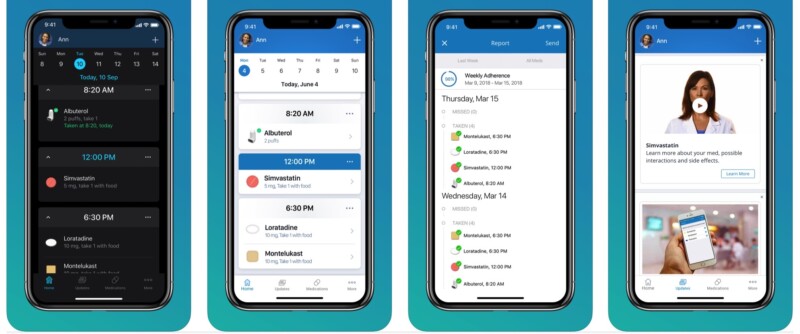
Digital tools offer real-time tracking, alerts, and peace of mind for remote caregivers.
Top App Features to Look For
Choose apps that offer:
– Customizable reminders with snooze and confirm options
– Dose tracking logs
– Missed dose alerts sent to caregivers
– Medication database with images and info
– Easy sharing with family or doctors
Popular options include:
– Medisafe
– CareZone
– MyTherapy
– Hero Health (includes automated dispensing)
Set It Up Together
Sit with the senior to install and test the app. Use large icons, enable voice prompts, and pair it with a Bluetooth speaker if hearing is an issue. Start with one or two meds, then expand.
Expert Note: Some apps sync with smartwatches or voice assistants, ideal for hands-free use.
Never Adjust Medications Without Approval
One of the most dangerous risks is self-adjusting doses due to side effects or forgetfulness.
Follow Prescribed Instructions Exactly
Seniors may skip pills because they feel fine, or double up after forgetting. Both are dangerous. Emphasize:
– Never stop a medication without talking to the doctor
– Never change the dose on your own
– If you miss a dose, don’t guess; check the instructions or call the pharmacist
Post this rule visibly: “No Changes Without Calling the Doctor.”
Report Problems Immediately
If side effects occur (dizziness, nausea, confusion), document them and contact the provider. Some medications can be adjusted or replaced.
Critical: Sudden discontinuation of certain drugs can cause life-threatening withdrawal effects.
Align with Daily Routines

The best reminder systems work with daily habits, not against them.
Pair Medication With Daily Activities
Anchor doses to consistent events:
– Morning meds with breakfast or toothbrushing
– Afternoon meds with the news or mail check
– Night meds with bedtime routine (e.g., brushing teeth, locking doors)
This builds automaticity. Over time, taking pills becomes as routine as putting on pajamas.
Use Visual and Environmental Cues
Place the pill organizer on the breakfast table. Leave a sticky note on the coffee mug: “Pills before coffee!” Or set a smart light to turn red at medication time.
Pro Tip: Use a timer or egg cooker. When the beep sounds, it is pill time.
Build a Backup System
Technology fails. People forget. Always have a Plan B.
Prepare for Common Failures
- Alarm didn’t go off? Have a second device set (e.g., phone and watch)
- Pill organizer lost? Keep a spare pre-filled one in a safe place
- Caregiver unavailable? Designate a neighbor or friend as emergency contact
- App crashes? Print a paper backup schedule
Test the system monthly: simulate a missed alarm and see if backups kick in.
Expert Note: Some services offer medical alert systems with medication reminders and live monitoring.
Balance Work and Caregiving Realistically
Full-time jobs make in-person supervision impossible. The solution is systems that work while you are away.
Prioritize Affordable, Low-Effort Tools
You don’t need expensive tech. Start with:
– A $10 weekly pill organizer
– Free phone alarms
– A printed schedule on the fridge
– A shared Google Doc for updates
These cost little and require minimal maintenance.
Use Remote Monitoring Wisely
Consider a smart dispenser that:
– Stores up to 10 meds
– Dispenses pills at scheduled times
– Sends alerts if a dose is skipped
– Can call or text a caregiver
It is a one-time investment that pays off in peace of mind.
Reality Check: Perfect adherence isn’t the goal. Sustainable, safe adherence is. Focus on systems that fit your life.
Support Caregiver Well-Being
You can’t pour from an empty cup. Caring for a senior while working full-time is exhausting.
Set Boundaries and Seek Help
- Delegate tasks when possible
- Join a caregiver support group (online or local)
- Use respite care if available
- Talk to your employer about flexible hours or remote work options
Acknowledge that you are doing your best, and that is enough.
Avoid Burnout With Simple Wins
Celebrate small successes: “Mom took her pills on time all week.” Use apps to reduce mental load. Automate what you can. Let go of perfection.
Final Note: The best medication reminder system is one that is used consistently by both the senior and the caregiver.
Frequently Asked Questions About How to Remind Seniors to Take Medication
What Is the Best Way to Remind a Senior to Take Medication?
The best approach combines multiple strategies: a labeled pill organizer, a written medication schedule posted in a visible location, and electronic reminders like phone alarms or dedicated reminder devices. Consistency and visual cues are key.
How Often Should Medication Lists Be Updated?
Medication lists should be updated after every doctor visit, when a new prescription is added, or when any dosage changes. Share the updated list with all caregivers and healthcare providers immediately.
Can Technology Help Seniors Remember to Take Pills?
Yes. Medication reminder apps, smart pill dispensers, and smartwatch alerts can provide timely notifications and even alert caregivers if a dose is missed. Choose senior-friendly devices with large screens and simple interfaces.
What Should You Do if a Senior Misses a Dose?
Do not guess or double up. Check the medication’s instructions for missed-dose guidance, or call the pharmacist or doctor for advice. Always follow prescribed instructions exactly.
How Can Caregivers Help Without Taking Away Autonomy?
Start by asking the senior to participate in filling their pill organizer and reviewing the schedule. Use reminder tools rather than direct hovering. Offer check-ins via call or text rather than assuming full responsibility.
Are There Affordable Options for Medication Reminders?
Yes. Simple pill organizers, free phone alarms, and printed medication schedules posted in visible areas are low-cost solutions. Many medication management apps also offer free basic features.
Key Takeaways for Medication Reminders That Work
Reminding seniors to take medication does not require high-tech solutions or constant supervision. It requires a clear plan, simple tools, and consistent habits. Combining pill organizers, visual schedules, electronic reminders, and caregiver support creates a reliable system, even with a full-time job.
Start small, test often, and adjust as needed. The goal is not flawless adherence. The goal is safety, independence, and peace of mind for everyone involved. Begin today by setting up a pill organizer and posting a written schedule. Small steps lead to lasting habits.