Every year, one in four adults over 65 experiences a fall, yet only a small fraction use a medical alert system to stay safe. If you’re helping a senior loved one maintain independence while minimizing risk, learning how to choose a medical alert system for seniors is one of the most important steps you can take. These devices provide instant access to help during emergencies, whether it’s a sudden fall, chest pain, or confusion from a medical condition.
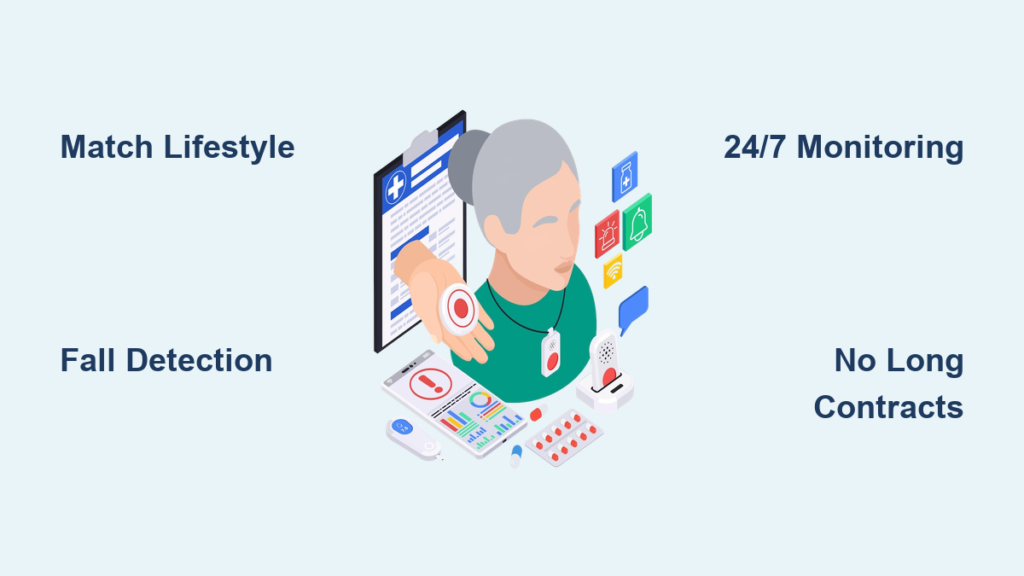
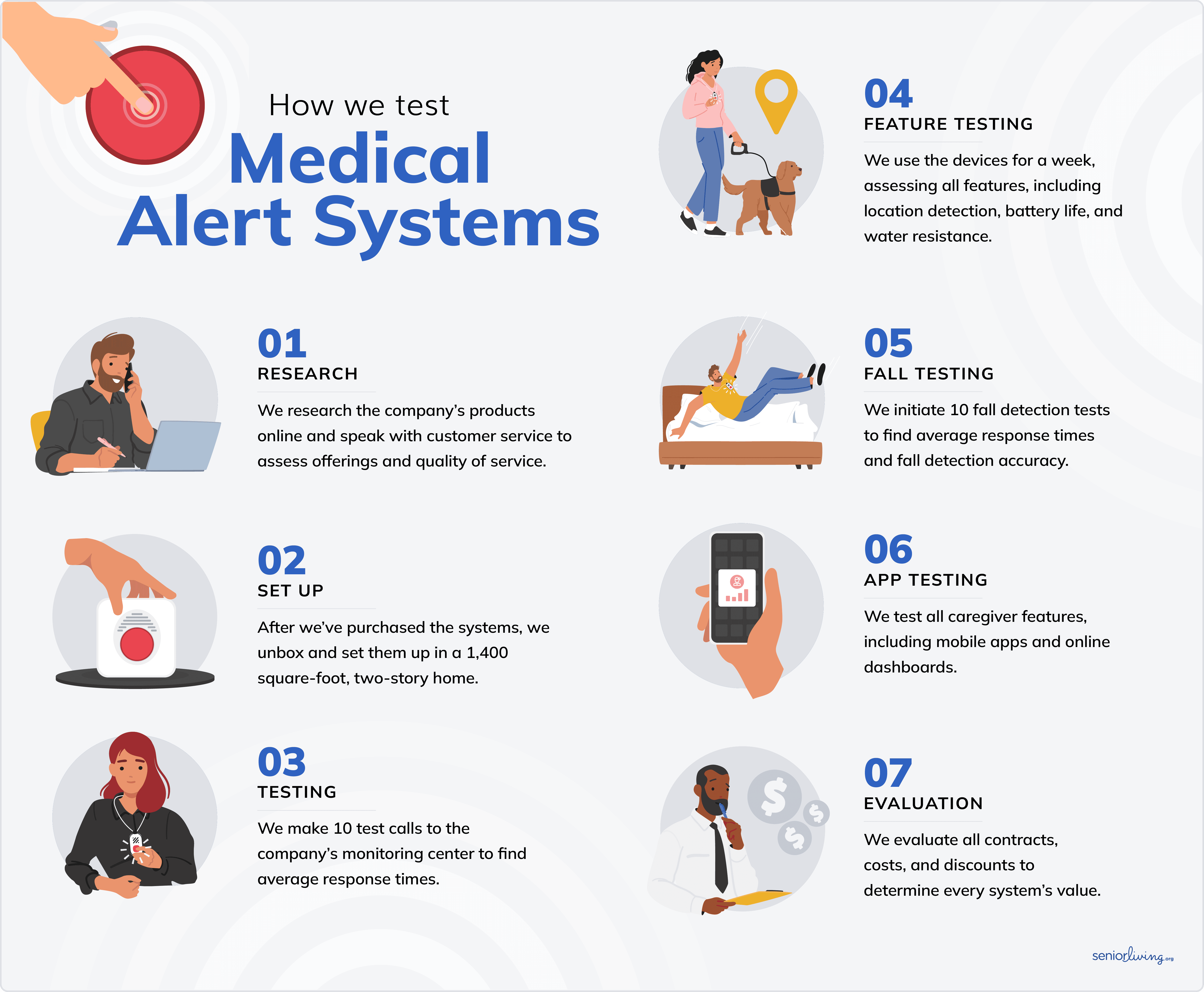
With dozens of brands, pricing models, and features like fall detection, GPS tracking, and caregiver apps, finding the best fit can feel overwhelming. The right medical alert system is the one that matches the user’s lifestyle, mobility, and comfort level, not necessarily the most advertised. After testing over 50 systems and surveying hundreds of users, we’ve created a clear, step-by-step guide to choosing a medical alert system so you can make a confident, informed decision.
Match System Type to Lifestyle
Pick In-Home Systems for Limited Mobility
If the senior spends most of their time at home, an in-home medical alert system is the right starting point. These systems include a base station connected to power and internet (via Wi-Fi or cellular) and a wearable button (pendant, wristband, or clip) that communicates with the base within a set range, typically 200 to 1,000 feet.
- Best for: Seniors who rarely leave home
- Range: Covers most homes and backyards
- Power source: Base station plugs in; wearable recharges daily or every few days
- Cost-effective: Usually cheaper than mobile plans
Look for models with voice-activated calling or automatic fall detection if the user has balance issues or cognitive concerns. Systems like Medical Alert and LifeStation score high for ease of setup and reliability in home environments.
Choose Mobile Systems for Active Seniors
For those who walk the dog, run errands, or travel, a mobile medical alert system with GPS is essential. These wearable devices work anywhere with cellular service and use GPS, Wi-Fi, and cellular triangulation to locate the user in an emergency.
- Best for: Seniors who leave home regularly
- Coverage: Works nationwide with cell signal
- Battery life: Typically lasts 1 to 6 days
- Extra features: Real-time location sharing, geofencing, and caregiver alerts
MobileHelp and Medical Guardian offer strong GPS accuracy and long battery life, making them top picks for active users. If the senior uses a walker or cane, consider a belt-clip or wrist-worn device for easier access.
Consider Smartwatch-Style Devices for Tech-Savvy Users
Some seniors prefer a smartwatch-style medical alert device that blends in with everyday wear. These models often include fitness tracking, medication reminders, and voice commands in addition to emergency calling.
- Brands: Medical Guardian’s Smart2, MobileHelp’s Smartwatch
- Pros: Discreet, multifunctional, app integration
- Cons: Shorter battery life, higher cost, steeper learning curve
Only choose this option if the user is comfortable with technology. Otherwise, a simple pendant button is more likely to be worn consistently.
Prioritize Critical Features
Enable Fall Detection for High-Risk Users
Over 28% of seniors fall each year, and many cannot get up or reach a phone. Automatic fall detection uses sensors to detect a hard fall and automatically alert the monitoring center, even if the user is unconscious.
- Accuracy: Neck or waist-worn pendants detect falls more reliably than wrist devices
- Response: Monitoring staff will call to check; if no response, emergency services are dispatched
- Cost: Adds $5 to $10 per month to most plans
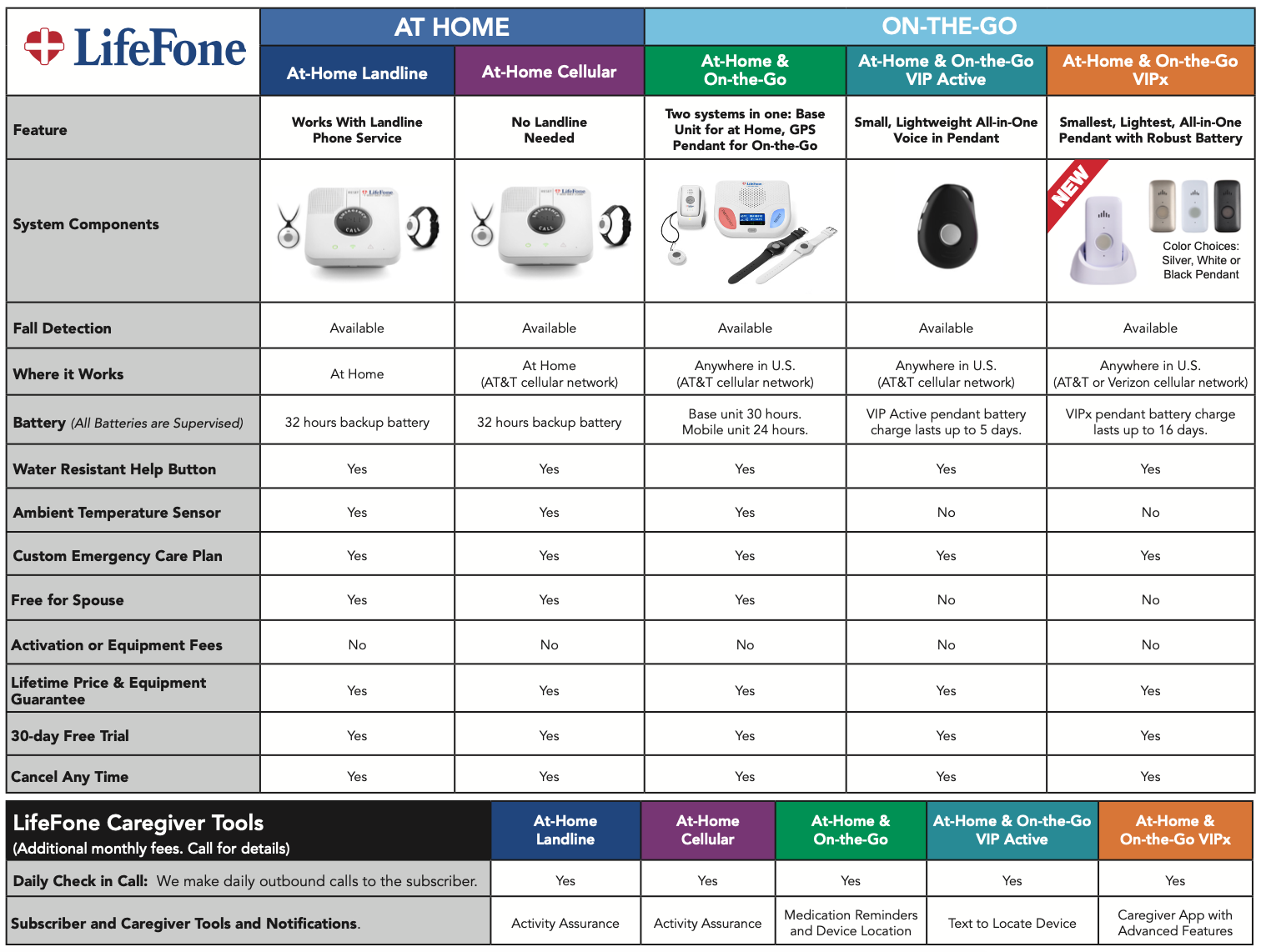
LifeFone offers the lowest-cost fall detection at just $5 extra per month. Medical Guardian and Bay Alarm Medical also provide reliable detection with fast response times.
Pro Tip: Even with fall detection, users should still press the button if they feel unwell or have a medical issue that did not involve a fall.
Ensure Fast Monitoring Response Times
When every second counts, response time matters. The best systems connect to a 24/7 monitoring center that answers in under 60 seconds.
- Top performers:
- LifeFone: 22 seconds
- LifeStation: 27 seconds
- Medical Guardian: 29 seconds
- Avoid: Systems with no published response data
Monitored systems are staffed by trained professionals who assess the situation, contact emergency services, and notify family members. Unmonitored systems simply dial 911 or a preset contact with no human evaluation.
Verify GPS and Location Tracking Accuracy
For mobile systems, real-time location tracking ensures help arrives quickly, even if the user is disoriented or unable to speak.
- How it works: GPS plus Wi-Fi plus cellular triangulation
- Use cases: Wandering due to dementia, outdoor falls, confusion in unfamiliar areas
- Caregiver benefit: Some apps allow family to check location on demand
LifeStation lets care partners text for a real-time location update, a unique feature for peace of mind. MobileHelp and Medical Guardian offer geofencing alerts that notify caregivers if the user leaves a safe zone.
Check Battery Life and Charging Needs
A dead battery means no protection. Battery life varies widely, from 2 days to 10 days.
- Longest battery: LifeFone (up to 10 days)
- Shortest: Medical Alert (2 days)
- Rechargeable: All major brands use rechargeable batteries
Seniors with limited dexterity may struggle with frequent charging. Look for devices with low-battery alerts, verbal charging confirmation, and portable charging cases.
Warning: Never rely on a device that requires daily charging unless the user or caregiver is highly consistent.
Evaluate Monitoring and Support
Choose 24/7 Professional Monitoring
Monitored systems connect to a live agent who assesses emergencies and sends help. This is the gold standard.
- Recommended: Medical Guardian, Bay Alarm Medical, MobileHelp
- Staff training: Operators are CPR- and first-aid certified
- Multi-contact alerts: Can notify family, neighbors, or doctors
Unmonitored systems call 911 or a contact directly with no human judgment. These are cheaper but risk false alarms or delayed help if the contact does not answer.
Confirm Customer Service Availability
When technical issues arise, accessible customer support is crucial.
- Best in service: Bay Alarm Medical offers 7-day phone, email, and live chat support
- Free trial: Bay Alarm provides a 15-day risk-free trial, which is rare in the industry
- Setup help: Most brands offer phone support, but only a few provide video guides or live onboarding
Avoid companies with no online support or pushy sales tactics, like Life Alert, which requires a 3-year contract and has no month-to-month option.
Look for Caregiver Apps and Family Features
Modern systems include caregiver apps that let family stay informed and involved.
- Features to look for:
- Real-time alerts when help is requested
- Daily activity reports, including first movement of the day
- Medical profile storage for allergies and medications
- Location tracking and geofencing
Medical Guardian, MobileHelp, and Aloe Care Health offer robust apps. LifeStation lacks a mobile app, which is a major drawback for remote caregivers.
Understand Costs and Hidden Fees
Compare Monthly Plans and Equipment Fees
Monthly costs range from $25 to $60, but equipment fees and add-ons can double the price.
| Brand | Starting Monthly Cost | Equipment Fee | Fall Detection Cost |
|---|---|---|---|
| MobileHelp | $29.95 | $0 | $10 |
| Bay Alarm Medical | $24.95 | $0–$199.95 | $10 |
| LifeFone | $29.95 | $0 | $5 |
| Medical Guardian | $36.95 | $0–$149.95 | $10 |
| LifeStation | $36.95 | $0–$99.95 | $16* |
LifeStation requires an $8 per month protection plan to add fall detection, totaling $16 extra per month.
MobileHelp and LifeFone stand out for having no equipment fees and low entry pricing.
Avoid Long Contracts and Hidden Charges
Some brands lock users into 3-year contracts with early cancellation fees.
- Avoid: Life Alert (3-year minimum, no month-to-month)
- Preferred: Month-to-month plans from Medical Guardian, MobileHelp, Bay Alarm Medical
Watch for hidden costs including protection plans ($5 to $8 per month) for warranty extensions, shipping fees, and activation fees. Life Alert charges $248 just to start service.
Save Money with Discounts and Deals
You can reduce costs with these strategies:
- Use NCOA-exclusive codes:
- NCOAFREE: Free equipment from Medical Guardian, Bay Alarm Medical
- SAFE4FREE: Free month plus $230 savings from MobileHelp
- Annual billing: Often 10–15% cheaper than monthly
- Insurance discounts: LifeStation offers up to 30% off with certain insurance plans
- Medicare Advantage: Some plans cover part of the cost, so check with your provider
Medicare Part A and Part B do not cover medical alert systems, but some Advantage plans do.
Test Reliability and Usability

Ensure Easy Setup and Daily Use
The best system is the one that gets used. Ease of setup and daily comfort are critical.
- Easiest setup: Medical Alert (perfect 5/5 score for clear instructions)
- Beginner-friendly: Medical Guardian (simple unboxing, visual guides)
- Voice confirmation: Medical Alert speaks when charging, helpful for low-vision users
Avoid systems with only video setup guides, especially if the senior is not tech-savvy.
Check Water Resistance for Bathroom Safety
Most falls happen in the bathroom. Ensure the help button is water-resistant.
- All major brands offer water-resistant pendants safe for showers
- Not submersible: Avoid full baths or swimming
- Voice-activated options: Aloe Care Health allows help without pressing a button
Test the System Regularly
Even the best system fails if not maintained.
- Monthly test: Press the button to confirm connection
- Check battery: Recharge before it drops below 20%
- Update contacts: Ensure emergency contacts are current
Most monitoring centers send reminders, but caregivers should verify functionality.
Avoid Common Mistakes
Do Not Choose Based on Brand Recognition Alone
Life Alert is the most advertised brand but is not recommended due to:
- High monthly fees ($69–$109)
- 3-year contract requirement
- No online pricing or shopping
- No fall detection option
Popularity does not equal quality. Stick with independently tested, transparently priced brands.
Do Not Skip Fall Detection for High-Risk Seniors
Even if the senior says they are careful, falls are unpredictable. If they have balance issues, a history of falls, or cognitive decline, fall detection is worth the extra $5 to $10 per month. LifeFone offers the most affordable option.
Do Not Ignore the User’s Preferences
A system only works if it is worn. Consider style, comfort, and discretion.
- Style: Bella Charms from Bay Alarm let devices look like jewelry
- Comfort: Lightweight pendants versus bulky watches
- Discretion: Some seniors prefer a watch over a visible pendant
Involve the senior in the decision. Buy-in increases usage.
Frequently Asked Questions About Medical Alert Systems for Seniors
Does Medicare cover medical alert systems?
Medicare Part A and Part B do not cover medical alert systems. Some Medicare Advantage plans may offer partial or full coverage. Contact your provider to confirm benefits.
How much do medical alert systems cost?
Monthly subscription fees range from $20 to $60. One-time equipment or activation fees can be up to $200. Add-ons like fall detection typically cost an extra $5 to $10 per month.
Are there medical alert systems without a monthly fee?
Yes. Unmonitored systems connect directly to 911 or a pre-set contact with no monthly fee. However, they lack professional monitoring and assessment.
What type of medical alert system is best?
In-home systems are best for those who stay home. Mobile systems are ideal for frequent travelers or active users. Smartwatch-style options work for tech-savvy users who want extra features. The best system is the one you will wear consistently.
Do you need Wi-Fi for a medical alert system?
No. In-home systems use landlines or cellular networks. Mobile systems use cellular service and GPS, so Wi-Fi is not required.
Key Takeaways for Choosing a Medical Alert System
A medical alert system is more than a safety device. It is a tool for independence, confidence, and peace of mind. Start by matching the system to the senior’s lifestyle, prioritizing fall detection and fast response times, and avoiding long contracts or hidden fees. Use the checklist below to guide your final decision:
- Lifestyle Match: In-home versus mobile versus smartwatch
- Critical Features: Fall detection, GPS, 24/7 monitoring
- Fast Response: Under 60 seconds, ideally under 30
- Battery Life: At least 3 to 5 days for mobile users
- No Long Contracts: Month-to-month preferred
- Caregiver Access: App, alerts, location sharing
- Transparent Pricing: No hidden fees or pushy sales
- Trial Period: 15 to 30 days to test the system
Begin with a free trial or an NCOA-exclusive deal, test the system thoroughly, and choose the one that fits so help is always within reach.