
Wandering is a silent crisis affecting thousands of elderly individuals, especially those with dementia or Alzheimer’s disease. A loved one can walk out the door at 2 a.m., become disoriented in familiar surroundings, and vanish, sometimes with tragic consequences. Learning how to track elderly with GPS isn’t about surveillance; it’s about safety, peace of mind, and rapid response when every minute counts.
But not all trackers work equally well for seniors. Many fail because the elderly remove them, batteries die, or alerts come too late. The key is choosing a device designed for real-world challenges: one that looks normal, stays on, and alerts you the moment someone leaves home. This guide breaks down the top devices by use case, compares costs, and reveals which features actually save lives.
Choose the Right GPS Device Type
Not every GPS tracker works for elderly care. The best choice depends on the person’s condition, routine, and ability to comply with wearing a device. Understanding the differences between device types helps avoid costly mistakes.
Dedicated GPS Trackers vs. Smartwatches
Dedicated GPS devices like the Greenlight Safe Seniors tracker are standalone units that don’t require a smartphone. They’re small, lightweight (just one ounce), and only 0.65 inches thick. These are ideal for seniors who don’t use phones or smartwatches but need reliable location tracking.
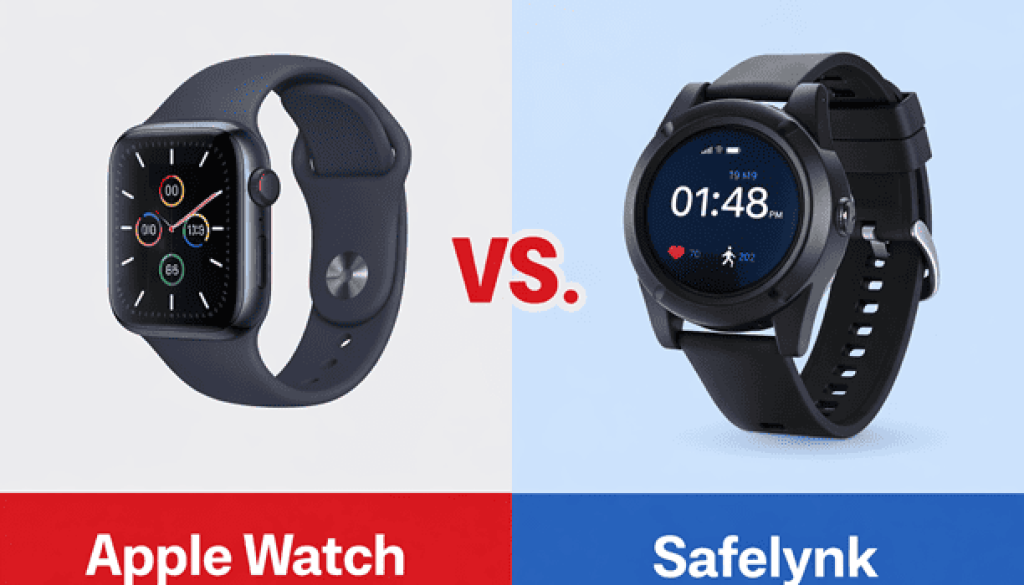
Smartwatches, like the AngelSense or Tranquil Watch, combine GPS with two-way communication and fall detection. They look like regular watches, increasing the chance the wearer will keep it on. For dementia patients, this design similarity is critical because unfamiliar devices are often removed or discarded.
Key difference: Dedicated trackers focus on location and alerts. Smartwatches add communication and proactive monitoring, which are essential for high-risk wandering.
Why Bluetooth Trackers Fail for Dementia
Apple AirTags and similar Bluetooth trackers rely on nearby smartphones to relay location. In cities, this works well. In rural areas or low-traffic zones, they’re useless. Worse, they lack SOS buttons, geofencing, and real-time alerts.
AirTags are best used in addition to a primary GPS tracker, hidden in shoes, wallets, or clothing. But never rely on them alone. If your loved one wanders into a wooded area with no nearby phones, the AirTag won’t help.
Medical ID Bracelets with Tracking
Some seniors resist wearing high-tech devices but will wear a medical ID bracelet. These can be engraved with “mental impairment,” name, and emergency contact. While not GPS-enabled, they serve as a backup when found by a stranger.
Pair a Medic Alert bracelet with a GPS device for layered safety: real-time tracking plus immediate identification if the person is found but unable to speak.
Top GPS Devices for Elderly Tracking
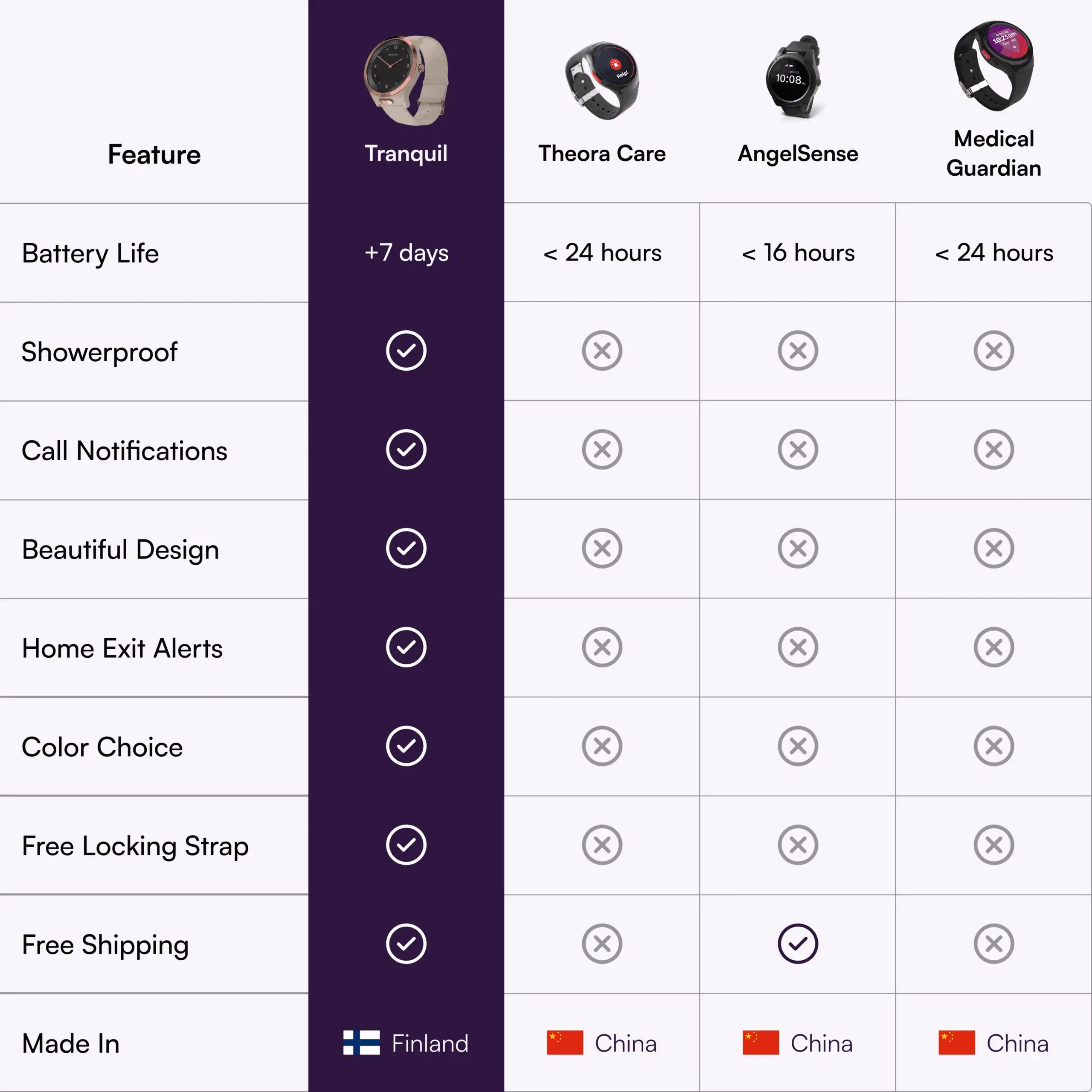
The best GPS tracker isn’t the cheapest or most popular; it’s the one that stays on, works when needed, and alerts you fast. Here are the top solutions based on real-world performance and caregiver feedback.
Tranquil Watch: Best for Advanced Dementia
When wandering is frequent and unpredictable, the Tranquil Watch stands out as the only device engineered specifically for dementia patients.
- Bluetooth home exit alerts: A beacon inside the home triggers an instant alert when the wearer leaves, faster and more reliable than geofencing
- Auto-answer two-way talk: Caregivers can call the watch and speak directly, even if the wearer doesn’t press anything
- Waterproof design: Can be worn in the shower, eliminating the risk of removal
- One-week battery life: Reduces charging gaps and vulnerability windows
- Optional locking band: Prevents removal by the wearer
Downside: High upfront cost (~$1,000), or rent for $99–$129/month. But for high-risk cases, it’s a life-saving investment.
AngelSense Watch: Best for Early-Stage Dementia
For seniors in early dementia who still have some awareness, AngelSense offers strong features at a lower entry cost.
- Free device with service plan ($45–$65/month)
- Looks like a normal watch, which increases compliance
- Indoor tracking using WiFi hotspots in familiar places
- One-button SOS and fall detection (optional)
- Live monitoring and ETA updates
Limitations: Requires daily charging and is only water-resistant, not waterproof. Must be removed for showers, creating a risk window.
Best for: Families who can manage daily charging and want proactive alerts during walks or outings.
Greenlight Safe Seniors: Best for General Senior Tracking
If the elderly person doesn’t have dementia but lives alone or has mobility issues, Greenlight Safe Seniors is a cost-effective, no-phone-needed solution.
- No smartphone required; works independently
- Up to 30-day battery life
- Global coverage in 120+ countries
- Real-time location, geofencing, SOS, and fall detection
- Weatherproof and lightweight (1 ounce)
Pricing: $79 for 6 months or $149 for 12 months, with subscription included.
Ideal for: Seniors who go for walks, attend adult daycare, or travel. Easy to tuck into a jacket or purse.
Apple Watch: Best for Tech-Savvy Families
If your family uses Apple devices, the Apple Watch with cellular offers powerful tracking and safety features.
- Find My app shows real-time location on any paired device
- Two-way communication via calls or messages
- Fall detection triggers emergency services automatically
- Waterproof and swim-proof
- Comfortable, expandable bands with no clasp to fumble
Catch: Requires tech-savvy caregivers. Setup, updates, and monitoring need Apple ecosystem knowledge.
No monthly fee for GPS, but cellular plan adds ~$10/month.
Hidden Tracking: When the Elderly Refuse Devices

Some seniors resist wearing any device, calling it “weird” or “unnecessary.” In these cases, covert tracking becomes necessary for safety.
Use Apple AirTags in Everyday Items
AirTags can be hidden in:
– Wallets
– Shoes
– Belt loops
– Jacket linings
– Walking canes
One caregiver placed an AirTag on her dog’s collar because her husband followed the dog everywhere, so the tag stayed with him.
Limitation: Only works in areas with dense Apple device traffic. Use as a backup, not primary tracker.
Choose Discreet Wearables
Devices like the Tranquil Watch or AngelSense look like ordinary watches. Most seniors won’t question wearing them. Pair with a locking band if removal is a concern.
Pro tip: Introduce the device as a “gift” or “new watch” rather than a tracker. Frame it as independence, not control.
Key Features That Prevent Wandering Tragedies
Most GPS trackers fail because they rely on the user to act, whether pressing an SOS button, remembering to charge, or not removing the device. The best systems work without user input.
Bluetooth Home Exit Alerts Beat Geofencing
Geofencing uses GPS to alert when someone leaves a set area (like a 100-foot radius around home). But GPS can be slow to update indoors, causing delayed alerts.
Bluetooth beacons, like those in the Tranquil Watch, detect when the wearer breaks connection with a home device, triggering an alert in seconds. This is faster and more reliable for catching wandering early.
Auto-Answer Two-Way Talk Saves Lives
When a senior wanders, they may not know they’re lost or how to press an SOS button. A device with auto-answer lets caregivers call in, listen to surroundings, and speak directly.
This feature has been used to calm a confused person, guide them back home, and communicate with police or bystanders.
Waterproof = Fewer Gaps in Protection
Devices that must be removed for showers create dangerous windows. A waterproof tracker like the Tranquil Watch stays on 24/7, eliminating this risk.
Avoid These Common Tracking Mistakes
Even with a GPS device, families make errors that compromise safety. Learn from others’ experiences.
Mistake 1: Relying on Geofencing Alone
One caregiver reported their loved one wandered for 45 minutes before a geofence alert triggered. By then, they were miles away.
Fix: Use Bluetooth-based exit alerts or pair geofencing with immediate notifications.
Mistake 2: Forgetting to Charge Daily
A watch that dies every night is useless at 3 a.m. Daily charging creates a routine gap.
Fix: Choose devices with longer battery life (1 week or more) or set charging reminders during safe hours.
Mistake 3: Not Testing the Device
One family bought a tracker but never tested it. When their father wandered, the app showed “no signal.”
Fix: Test monthly. Walk out the door and confirm alerts arrive within seconds.
Real-World Scenarios: Which Device to Use
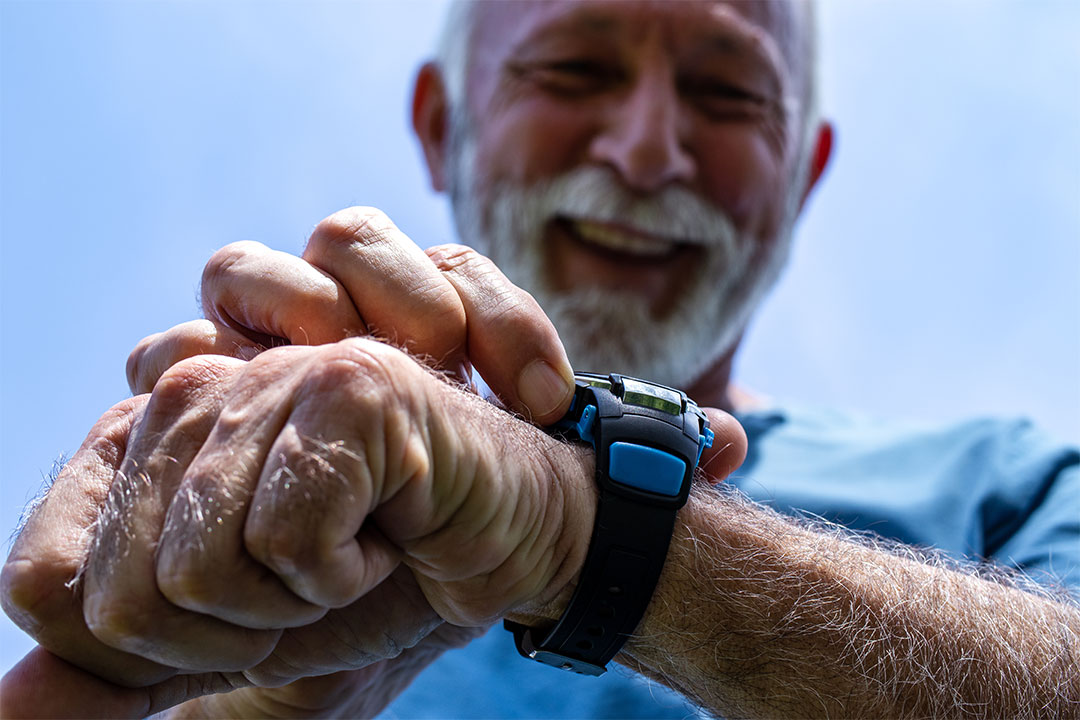
Match the solution to the situation. Here’s how to choose based on real needs.
Elderly Parent Living Alone
Use the Greenlight Safe Seniors tracker:
– Place in a jacket pocket or purse
– Set geofence around home
– Enable fall detection
– Share access with multiple family members
Bonus: No phone needed, making it ideal for non-tech seniors.
Alzheimer’s Patient with Night Wandering
Choose the Tranquil Watch:
– Bluetooth beacon alerts instantly when they leave
– Auto-answer lets you speak through the watch
– Waterproof and long battery reduce gaps
Critical: Set up the system before an incident; don’t wait.
Early-Stage Dementia on a Budget
Go with AngelSense:
– Free device with service
– Looks normal, encouraging compliance
– Indoor tracking via WiFi
Trade-off: Daily charging required, so assign a family member to manage it.
Android Users Need Alternatives to AirTags
AirTags only work with Apple devices. Android users should consider:
– Greenlight Safe Seniors (Android app available)
– Life 360 Tile (works with Android)
– Dedicated GPS trackers with Android compatibility
Ethical and Legal Considerations
Tracking raises privacy concerns, but safety comes first, especially for cognitively impaired individuals.
No 24-Hour Waiting Period for Missing Seniors
Police do not require a 24-hour wait to report a missing person with dementia. Call immediately and have your GPS app ready to share real-time location with first responders.
Consent vs. Safety
You don’t need legal consent to use a GPS tracker on a person with dementia. Courts and law enforcement recognize wandering as a medical emergency.
Best practice: Inform family and doctors. Document the decision as part of care planning.
Maintenance and Best Practices
A GPS tracker is only as good as its upkeep. Follow these steps to ensure reliability.
Test Monthly
- Walk out the door and confirm alerts arrive
- Check battery life
- Verify app notifications are enabled
Share Access with Multiple Caregivers
Add 2–3 family members as co-guardians. If one is unavailable, another can respond.
Update Location Settings
Ensure the device updates frequently (every 5–10 minutes). Slower updates delay response time.
Keep Emergency Contacts Updated
If the SOS button is pressed, it should alert the right people, such as spouses, children, and neighbors.
Frequently Asked Questions About Tracking Elderly with GPS
What is the best GPS tracker for a dementia patient who wanders?
The Tranquil Watch is the top choice for advanced dementia. It offers Bluetooth-based home exit alerts, auto-answer two-way talk, waterproof design, and a one-week battery life. These features work without requiring the user to press buttons or remember to charge daily.
Do GPS trackers work without cell service?
Dedicated GPS trackers like the Greenlight Safe Seniors use hybrid location technology combining GPS, Wi-Fi, and cell tower triangulation. They require cellular coverage to transmit location data to caregivers, though cell tower triangulation can provide rough location (within 100–250 meters) when GPS and Wi-Fi fail.
Can AirTags be used to track elderly parents?
AirTags work only as a backup in populated areas with many Apple devices nearby. They lack SOS buttons, geofencing, and real-time alerts. For primary tracking of elderly individuals, especially those with dementia, use a dedicated GPS device or smartwatch with cellular connectivity.
How accurate are GPS trackers for elderly individuals?
Accuracy depends on the technology used. Outdoor GPS is accurate within 3–5 meters (10–16 feet). Indoor Wi-Fi positioning is accurate within 10–30 meters (33–98 feet). Cell tower triangulation is accurate within 100–250 meters (328–820 feet) when GPS and Wi-Fi fail.
Is it legal to put a GPS tracker on an elderly parent?
You don’t need legal consent to use a GPS tracker on a person with dementia. Courts and law enforcement recognize wandering as a medical emergency. Best practice is to inform family members and doctors and document the decision as part of care planning.
How long does the battery last on elderly GPS trackers?
Battery life varies by device. The Greenlight Safe Seniors lasts 2–4 weeks depending on update frequency. The Tranquil Watch lasts about one week. The AngelSense requires daily charging. Longer battery life reduces vulnerability windows when the device might die during critical moments.
Key Takeaways for Tracking Elderly with GPS Safely
GPS tracking for the elderly isn’t about control; it’s about care. The right device can prevent tragedies, reduce caregiver stress, and help seniors live more independently.
Start with the person’s needs. Advanced dementia demands reliability and instant alerts. Early-stage cases may only need basic tracking. Prioritize devices that stay on, work without user input, and alert fast.
Remember that prevention is key. Trackers help after wandering starts, so combine them with adult daycare, home locks, and memory care when needed. Your peace of mind is worth the investment. Take the first step today by testing one of these devices with your loved one before an emergency occurs.