Staying independent often comes down to staying mobile. But for many seniors, apps and digital tools can feel confusing or intimidating. The good news is that Uber has built features specifically for older adults, making it easier to get where you need to go without stress.
This guide walks you through exactly how to use Uber for seniors. You’ll learn how to set up a senior account, simplify the app, request rides by phone, pay with health benefits, and even let family help from afar. Whether you’re tech-savvy or just getting started, these tools can make every ride smoother and safer.
Set Up a Senior Account in the Uber App
Uber’s senior account is the starting point for a simpler ride experience. It unlocks larger text, clearer icons, and safety tools that give both you and your family peace of mind.
Turn On Senior Tools
Setting up your account only takes a few taps:
- Open the Uber app
- Tap Account in the bottom right corner
- Select Seniors
- Tap Set up my senior account
- Toggle on the features you want to use
Once activated, you’ll gain access to Simple mode, pickup preferences, and health benefit payments. Everything is designed with older adults in mind.
Pro Tip: If you’d rather not do it alone, a family member can walk you through the steps over a video call or in person. It only takes a couple of minutes.
Use Simple Mode for Easier Navigation

Simple mode is Uber’s most senior-friendly feature. It cuts out clutter, increases font size, and makes the booking process much more straightforward. This is ideal if you have vision challenges or limited experience with smartphones.
What Simple Mode Includes
Simple mode makes the app easier to see and use. Key features include:
- Larger text for better readability
- Clearer icons that are simple to identify
- Streamlined navigation with fewer steps to request a ride
This mode turns on automatically when you activate a senior account, so you don’t have to search for it.
Turn Simple Mode On or Off
If you ever want to switch back to the standard view, here’s how:
- Go to Account in the app
- Tap Seniors
- Toggle Simple mode on or off
Note: If you’re part of a family profile, your family organizer may manage this setting for you.
Request Rides by Phone (No Smartphone Needed)

You don’t need a smartphone to use Uber. The phone support line lets seniors request rides with a simple phone call, which is perfect if you prefer speaking to a real person.
How Phone Booking Works
Dial 1-833-USE-UBER (1-833-873-8237) to reach a live agent. The agent will:
- Take your pickup and drop-off addresses
- Confirm your preferred pickup method
- Book the ride and send driver details via text or call
The driver receives special instructions to make pickup easier, such as calling your name or honking gently when they arrive.
Who Benefits Most from Phone Booking
Phone booking is available to all U.S. users. It works best for:
- Seniors without smartphones
- Those with limited data or Wi-Fi
- Anyone who prefers human interaction over apps
Just keep your addresses ready before you call, and the process is quick and easy.
Customize Your Pickup Preferences
Uber lets you tell drivers exactly how you’d like to be picked up. These small details make a big difference if you have trouble spotting vehicles or moving quickly to the curb.
Set Your Pickup Preferences
When booking a ride, you can ask your driver to:
- Call out your name when they arrive
- Honk the horn once to get your attention
- Flash headlights so you can identify the car
- Call or text you before arrival
Once set, these preferences can apply to all your future rides.
Visual cue: Look for a confirmation message in the app like “Driver will call your name.” This confirms your preference is saved.
Why Pickup Preferences Matter
Custom pickup options reduce stress and confusion. They help if you’re hard of hearing, have low vision, or simply need a little extra time to get to the car. Drivers will know to look out for you and give you the space you need.
Request Easy Entry Vehicles
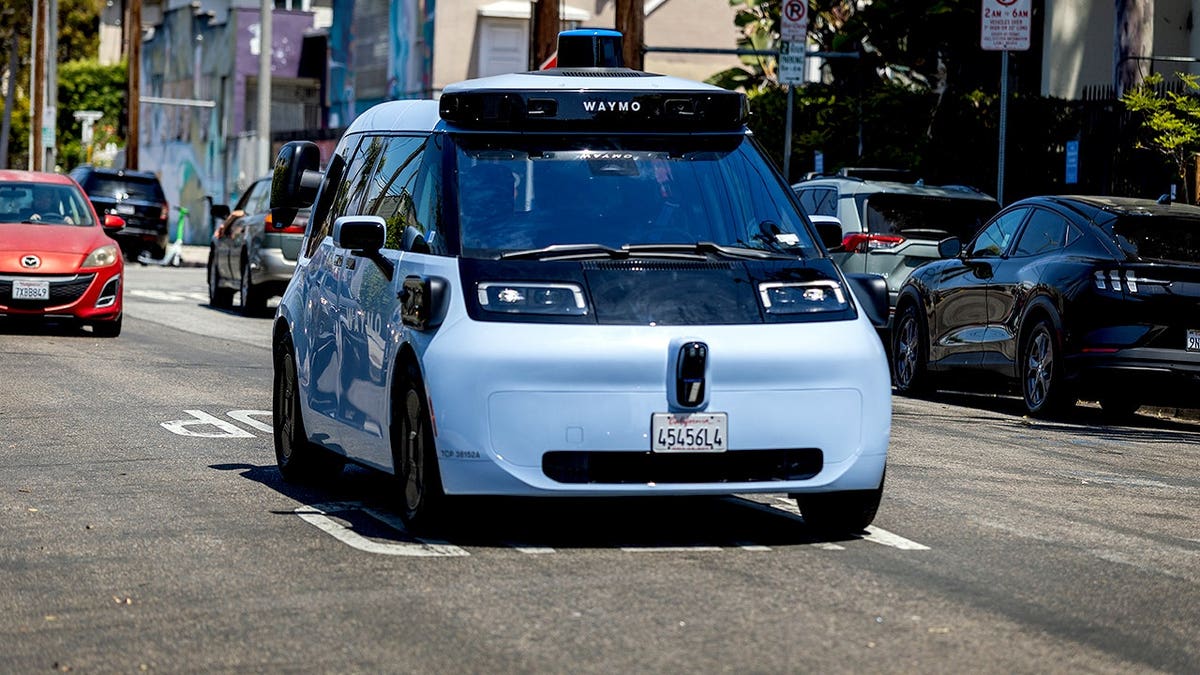
Getting into a car shouldn’t be a struggle. Uber’s Easy Entry feature lets you request vehicles with a lower step-in height, more legroom, and spacious doors.
How to Enable Easy Entry
Follow these steps to turn on Easy Entry vehicles:
- Go to Account > Seniors
- Tap Pickup preferences
- Turn on Easy entry vehicles
Uber will then prioritize cars that are easier to step into.
Availability: Easy entry vehicles are currently offered only in select cities. Check the app to see if this option is active in your area.
What to Expect
When your ride arrives, the driver may assist with opening the door. The vehicle will park close to your pickup point, and you’ll have extra time to settle in comfortably. Easy Entry is designed for comfort, not wheelchair access. For wheelchair-accessible rides, see the Uber WAV section below.
Pay With Health Benefits Cards

Many seniors can use Medicare Advantage or other health benefit cards to pay for Uber rides. This is especially helpful for medical appointments, therapy sessions, or pharmacy pickups.
Add Your Health Benefits Card
Adding a health benefits card to your account is simple:
- Open the Uber app and go to Wallet
- Tap Add payment method
- Select Health benefits card
- Enter your card details and confirm eligibility
Once added, Uber will automatically use the card for eligible trips.
Who Qualifies?
You may qualify if you are:
- A Medicare Advantage member (check with your plan for details)
- A participant in a Medicaid transportation program
- A member of a health plan partnered with Uber Health
Eligible trips often include doctor visits, pharmacy pickups, dialysis or physical therapy, and mental health appointments.
Delegate Card Management to Family
If a family member helps manage your care, you can delegate control of your health benefits card. Here’s how:
- Go to Account > Family > [Your Name] > Manage health benefits
- Tap Delegate card
- Follow the prompts to assign control
They can then book rides on your behalf using the card.
Add a Senior to a Family Account
Family members can help seniors stay independent while staying informed. By adding a senior to a Family profile, loved ones can track rides, receive safety alerts, and even pay for trips.
How to Add a Senior to a Family Profile
If you’re the family organizer, follow these steps:
- Tap Account > Family
- Select Add new member > Senior
- Choose a contact from your phone list
- Send the invite via text or email
The senior then taps the invite link, accepts, and logs in. The senior account activates automatically.
Benefits of Family Tracking
Once linked, the family organizer can:
- See real-time ride tracking
- Get safety alerts if a ride is delayed
- View trip history and help troubleshoot
- Receive notifications when pickup starts
This setup is perfect for adult children, caregivers, or grandchildren who want to help from afar.
Use Uber Health for Medical Transportation
Uber Health is a service used by hospitals, clinics, and social care organizations to arrange rides for patients, including seniors. This is a great option if you need help getting to medical appointments but don’t want to use the app yourself.
How Uber Health Works
Here’s how the process typically works:
- Doctors or care coordinators book rides for you
- You receive ride details via text or call
- No app or smartphone is required
- Rides can be scheduled in advance
Common uses include getting to dialysis, attending therapy sessions, receiving home health visits, and traveling to community wellness programs.
Pro Tip: Ask your healthcare provider, “Do you offer Uber Health transportation?” Many clinics now include it in their care plans.
Access Wheelchair-Accessible Rides With Uber WAV
For seniors who use wheelchairs or scooters, Uber WAV (Wheelchair Accessible Vehicles) offers safe and affordable transport. These vehicles are equipped with ramps or lifts, securement systems, and ample interior space.
How to Request a WAV Ride
Requesting a wheelchair-accessible ride is straightforward:
- Open the Uber app
- Tap the WAV option (if available in your city)
- Enter your pickup and drop-off locations
- Confirm the ride
Pricing for Uber WAV is comparable to UberX, with no extra fees. Availability is limited to certain cities, so check the app to see if WAV is offered near you.
Troubleshoot Common Uber Issues
Even with simple tools, small problems can happen. Here’s how to fix the most common issues quickly.
No Driver Is Responding to Your Ride
If no driver is accepting your request, try the following:
- Wait a few minutes, especially in low-traffic areas
- Expand your pickup zone by moving the pin to a busier street
- Call support at 1-833-USE-UBER for personal help
The Driver Can’t Find You
To make pickup easier, use a pickup preference like “Call my name” or “Honk once.” You can also stand near a clear landmark, such as a building entrance or mailbox, and text or call the driver directly through the app.
The App Is Freezing or Crashing
If the app isn’t working properly, try these quick fixes:
- Close and reopen the app
- Restart your phone
- Update to the latest version of Uber
For non-smartphone users: Stick to phone booking if the app gives you trouble. It’s more reliable and doesn’t require any tech skills.
Follow Key Safety Tips for Senior Riders
Uber includes built-in safety tools to protect you on every trip. Knowing how to use them adds an extra layer of confidence.
Key Safety Features to Know
- Real-time GPS tracking: Share your ride with family
- Emergency assistance button: Contact 911 directly from the app
- Driver info before arrival: See the driver’s name, photo, and license plate
- Ride check: Uber confirms you arrived safely
Best Practices for Staying Safe
Follow these tips every time you ride:
- Always verify the license plate before getting in
- Sit in the back seat for personal space
- Share your live trip link with a trusted contact
- Trust your instincts and cancel the ride if something feels off
Pro Tip: Save your most common destinations, such as your doctor’s office or church, so you don’t have to type them each time.
Partner Organizations Supporting Senior Riders
Uber works with groups dedicated to helping older adults thrive through technology and mobility. Many offer free workshops and resources.
Meet Key Partners
- Senior Tech Connect helps older adults stay independent by making everyday technology accessible, from smartphones to online services
- GIA Longevity builds age-friendly communities and tech solutions
- Global Coalition on Aging advocates for policies that support independent living
- Growing Bolder offers tools, tips, and inspiration for active, healthy aging
Check their websites for local events and free digital literacy workshops.
Frequently Asked Questions About Uber for Seniors
What is a senior account on Uber?
A senior account is an account experience designed to give older adults more control and flexibility. It includes features like Simple mode, pickup preferences, and health benefit payments.
How do I set up a senior account?
Open the Uber app, go to your Account page, and tap “Seniors” to set it up. You can also have a family organizer invite you through their Family profile.
Can I request an Uber ride without a smartphone?
Yes. You can call 1-833-USE-UBER (1-833-873-8237) and speak to a live agent who will book the ride for you. No app or login is required.
How do I add my health benefits card to pay for rides?
Go to the Wallet section of the app, tap “Add payment method,” and select “Health benefits card.” Enter your details, and eligible trips will use the card automatically.
Does Uber offer wheelchair-accessible rides?
Yes. Uber WAV offers rides in wheelchair-accessible vehicles at prices comparable to UberX. Availability depends on your city.
Can a family member track my rides?
Yes. If you’re added to a Family profile, the organizer can see your real-time location, receive safety alerts, and view trip history.
Key Takeaways for Using Uber as a Senior
Learning how to use Uber for seniors opens the door to greater independence and freedom. Start with one feature that feels most useful, whether that’s Simple mode for easier navigation, phone booking if you don’t have a smartphone, or health benefit payments for medical trips. Ask a family member to help you set things up, and try a short, familiar ride first to build confidence.
Once you’re comfortable, you’ll have a reliable way to get to appointments, visit loved ones, and run errands, all without relying on someone else to drive. Take that first step today, set up your senior account, and discover just how easy modern transportation can be.